How to Reset an IQOS ILUMA i ONE, ILUMA i or ILUMA i PRIME
By Alex Eastland · · Troubleshooting
Last reviewed 21 Nov 2026. Checked against IQOS UAE support pages, with IQOS UK for general troubleshooting.
Quick answer
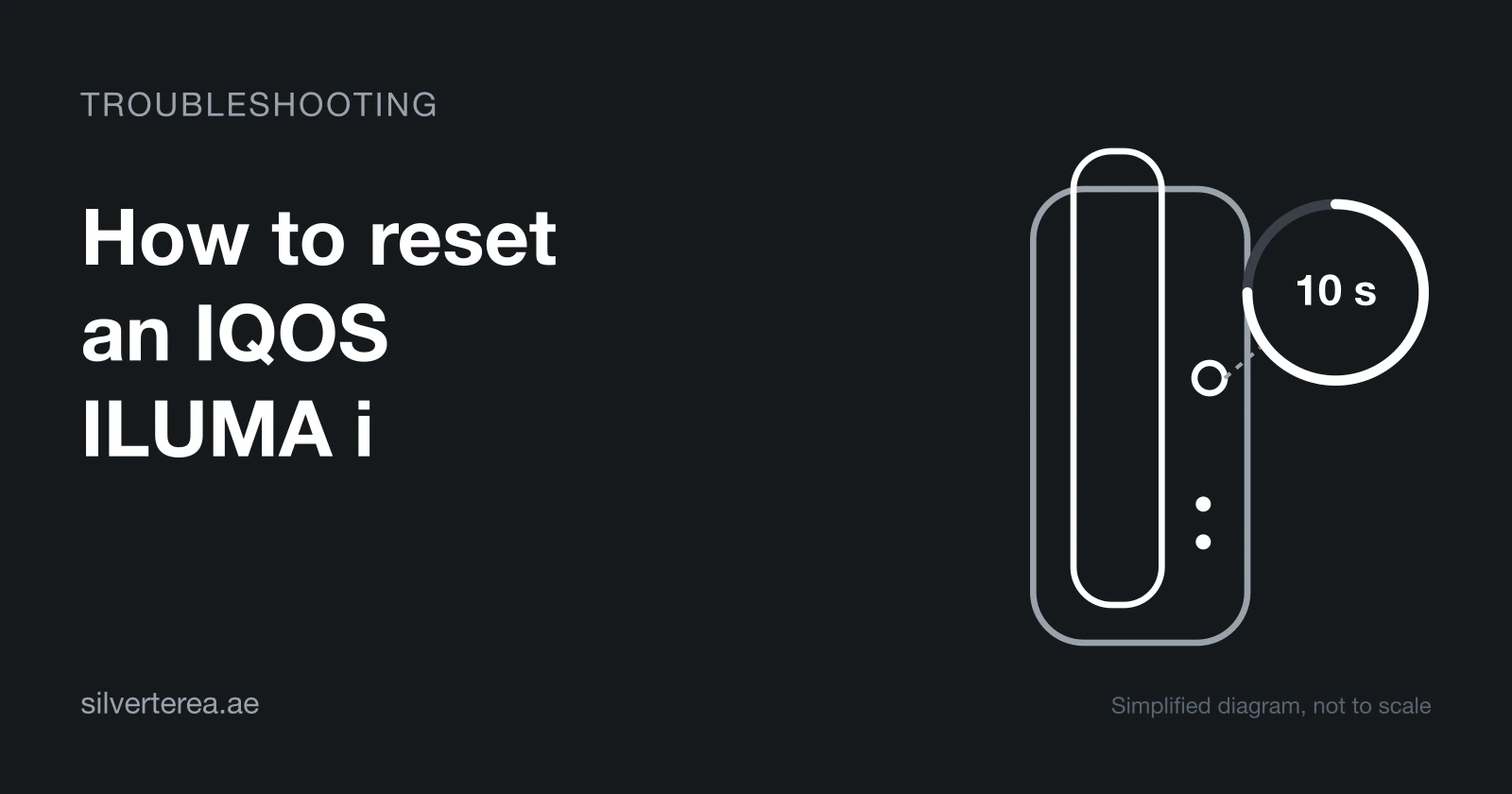
To reset an IQOS ILUMA i or ILUMA i PRIME, place the holder in the Pocket Charger and press the Pocket Charger button for 10 seconds. To reset an ILUMA i ONE, press its button for 7 seconds, then release. On all three, IQOS UAE says the status lights turn off, blink twice and turn back on to confirm the reset. Charge the device and clean the contacts first, as that often fixes the problem without a reset.
When does a reset help?
IQOS UAE and IQOS UK suggest a reset when:
- The holder or Pocket Charger blinks red, seems frozen, or does not work at all.
- Autostart does not start the heating when you insert a stick.
- The lights come on but the device will not charge. Our ILUMA i not-charging guide covers the checks to try first.
- Nothing else in the troubleshooting steps has worked.
A reset will not fix a used or wrong stick. IQOS UK says ILUMA starts only with compatible sticks from a new, sealed pack. To check which sticks fit, see which IQOS devices work with TEREA.
What should you try before a reset?
These steps come from the IQOS UAE and IQOS UK troubleshooting pages.
- Charge it. IQOS UK says to plug it in and wait up to 10 minutes for the lights to appear, depending on the model. On the ILUMA i and ILUMA i PRIME, IQOS UAE says a "0" flashing three times on the touch screen means the holder is out of charge.
- Check the Pocket Charger. For the ILUMA i and ILUMA i PRIME, IQOS UAE says the Pocket Charger needs at least one solid white light, meaning enough charge for one use.
- Clean the contacts and ports. IQOS UK says ILUMA devices need no internal cleaning, but you should keep the USB ports free of dust and wipe the contacts between the holder and Pocket Charger with a soft, dry cloth.
- Seat the holder properly. Put the holder back in the Pocket Charger, close the door, and wait until at least one holder light on the Pocket Charger turns solid white. Then take it out and give the holder button a short press. If it will not click in, see our guide to an ILUMA i holder that is stuck or won't click in.
- Check the temperature. IQOS UK says the device may not work outside its operating range. Let it warm up or cool down indoors before trying again. Our guide to storing TEREA in UAE heat covers that, and our steps for an ILUMA i exposed to water, sand or heat cover a device that got wet or sandy.
- Try a fresh stick from a new pack, inserted the right way.
If the holder starts working after steps 1 to 4, that is effectively your "soft" restart. IQOS does not publish a separate soft reset for ILUMA. It describes one reset per model, set out below.
How to reset each ILUMA i model
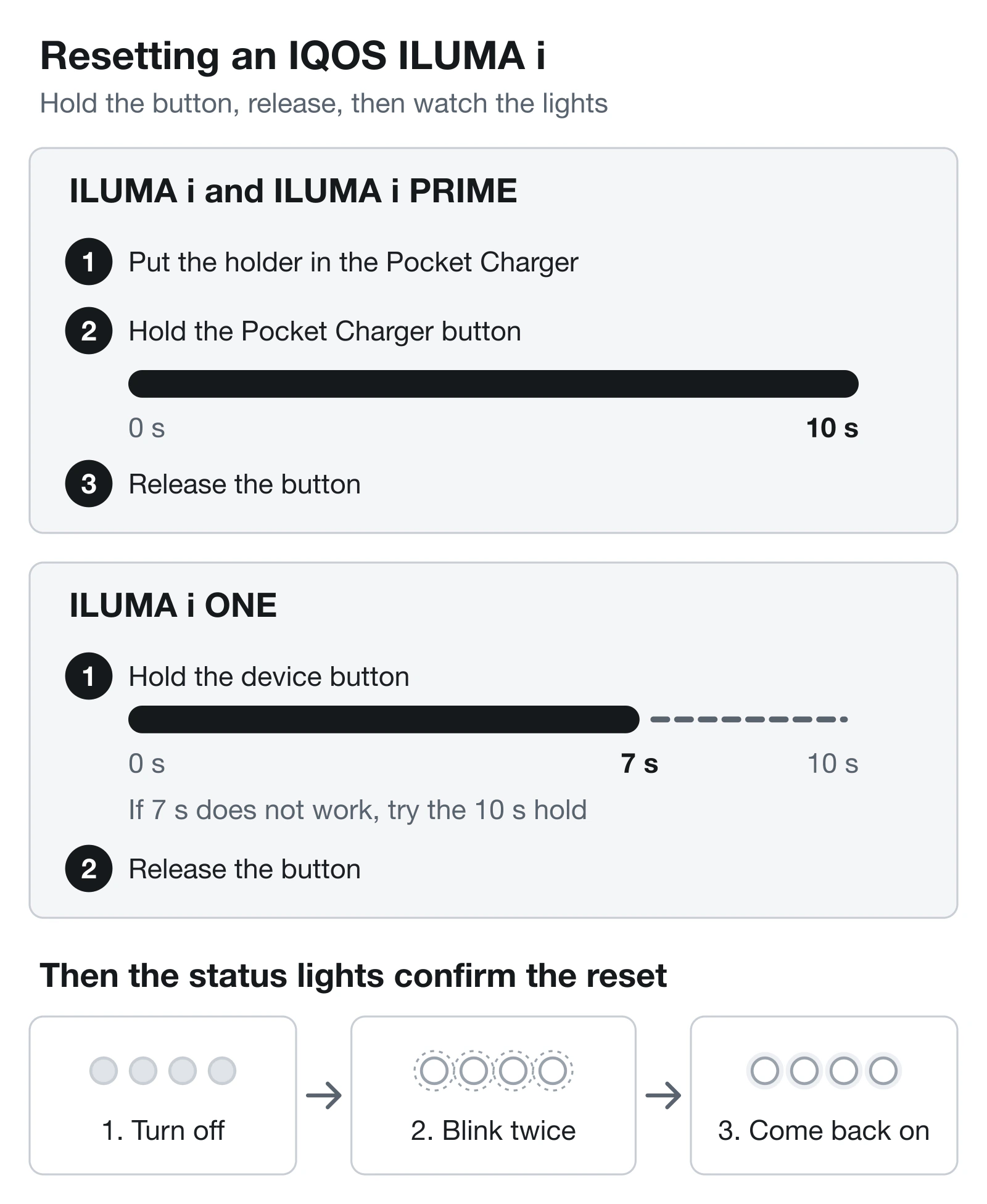
IQOS ILUMA i and ILUMA i PRIME
| Step | What to do |
|---|---|
| 1 | Place the holder in the Pocket Charger. |
| 2 | Press and hold the Pocket Charger button for 10 seconds. |
| 3 | Release. All status lights turn off, blink twice and turn back on. That confirms the reset. |
The steps are the same for both models, according to IQOS UAE. This is also how to go about restarting an ILUMA i PRIME that will not respond.
IQOS ILUMA i ONE
The ILUMA i ONE has no Pocket Charger, so you reset the device itself.
| Step | What to do |
|---|---|
| 1 | Press and hold the button for 7 seconds. |
| 2 | Release. All status lights turn off, blink twice and turn back on. |
IQOS UAE gives a second timing on its i ONE charging troubleshooting page. If the lights come on but the device will not charge, it says to hold the ON/OFF button for 10 seconds continuously. That reset is confirmed when the lights fade in, blink twice fast, ramp up, and then show the current charge level. If the 7-second press does not work, try the 10-second hold.
How to reset a first-generation ILUMA
IQOS UAE still lists the original ILUMA range on its self-diagnosis pages.
| Model | Reset | Confirmation |
|---|---|---|
| IQOS ILUMA | Holder in the Pocket Charger, press the Pocket Charger button for 10 seconds, until all lights dim out | All lights briefly blink white |
| IQOS ILUMA PRIME | Same as ILUMA | All lights briefly blink white |
| IQOS ILUMA ONE | Press the button for 7 seconds, then release | All status lights turn off, blink twice and turn on |
What do the lights mean?
IQOS UAE explains a few light patterns that tell you whether a reset is the right step:
- Red light (ILUMA ONE, bottom light blinking red): a small error. Reset the device. If the red light stays, contact IQOS Customer Care.
- Red blinking on ILUMA or ILUMA PRIME holder or Pocket Charger: reset as above.
- Three blinking white lights on an ILUMA or ILUMA PRIME holder: the holder is out of its temperature range. This is not a fault, so let it return to room temperature instead of resetting.
- All lights blink white twice, then switch off (ILUMA ONE): the device may be too hot or too cold. IQOS gives a range of 0°C to 40°C for this model.
- Bottom light blinking yellow (ILUMA ONE): low battery. Charge it.
For ILUMA i light patterns and Touch Screen signs, see our guide to what the ILUMA i lights mean, or check the user guide in the box or the IQOS app.
When should you contact IQOS or the seller?
If a reset does not help, IQOS UK suggests checking for a firmware update through the IQOS app, then visiting an IQOS store, where staff offer cleaning, software updates and technical help. IQOS UAE also has a self-diagnosis tool and customer care on iqos.com/ae. Our guide to the IQOS ILUMA i warranty in the UAE explains what IQOS covers and how to claim.
If you bought the device from us and it is faulty on arrival: Faulty, damaged or dead-on-arrival items must be reported within 24 hours. We collect them free. We have no separate store warranty. A device that is faulty on delivery is replaced or refunded if you tell us within 24 hours; after that the manufacturer's warranty terms apply. Our refund policy has the details, or contact us.
FAQ
How do I hard reset an IQOS ILUMA i?
Place the holder in the Pocket Charger and hold the Pocket Charger button for 10 seconds. IQOS describes this as the reset. It does not publish a separate hard or factory reset.
Why is my ILUMA i not heating after a reset?
Check that you are using a TEREA stick from a new pack, inserted the right way, and that the holder has charge. IQOS UK also suggests checking that Autostart is on in the app and that the firmware is up to date. Our guide to a TEREA stick that is not heating goes through each check.
How long do you hold the button to reset an ILUMA i ONE?
IQOS UAE says 7 seconds, then release. Its charging troubleshooting page gives 10 seconds for a device that shows lights but will not charge.
Sources
- IQOS UAE: How to reset IQOS ILUMA i
- IQOS UAE: How to reset IQOS ILUMA i PRIME
- IQOS UAE: How to reset IQOS ILUMA i ONE
- IQOS UAE: Troubleshooting ILUMA i, ILUMA i PRIME and ILUMA i ONE
- IQOS UAE: Self-diagnose IQOS ILUMA, ILUMA PRIME and ILUMA ONE
- IQOS UK: Troubleshooting IQOS ILUMA i (charging, cleaning, Autostart, firmware, temperature)
How we check these facts is set out in our editorial standards.
More guides
More troubleshooting guides · TEREA Silver information hub
Other guides
How to Check Your ILUMA i Kit and TEREA Silver Are Genuine
Practical checks for an ILUMA i kit and TEREA Silver packs, before and after you buy in the UAE: serial number, IQOS registration, warranty and the FTA tax stamp.
IQOS ILUMA i Not Charging: Fixes for ILUMA i ONE, ILUMA i and ILUMA i PRIME
Why an IQOS ILUMA i ONE, ILUMA i or ILUMA i PRIME won't charge, and the fixes IQOS support gives, in order: adaptor and cable, contacts, temperature, reset and battery wear.
IQOS ILUMA i Lights Explained: What Each Colour and Blink Means (ILUMA i ONE, i and i PRIME)
A model-by-model key to IQOS ILUMA i lights and Touch Screen signs, from IQOS UAE support pages: what red, yellow and white blinks mean, and what to do next.
How to Store TEREA in UAE Heat, and Handle It Safely
Where to keep TEREA packs and cartons in the UAE summer, and the handling warnings IQOS gives about the metal part inside every stick.