IQOS ILUMA i Lights Explained: What Each Colour and Blink Means (ILUMA i ONE, i and i PRIME)
Last reviewed 21 Nov 2026. Checked against IQOS UAE support pages, the IQOS ILUMA i user guide and IQOS support pages in other countries.
Quick answer
On the IQOS ILUMA i ONE, blinking yellow means the battery is empty, white blinking twice means the device is too hot or too cold (outside 0–40°C), and blinking red means you should reset it. The ILUMA i and ILUMA i PRIME show signs on the holder's Touch Screen instead: a flashing "0" means the holder needs charging, and a flashing "E" means a reset. If red or "E" comes back after a reset, contact IQOS support or the shop that sold you the device.
Why do the three ILUMA i models show different lights?
- IQOS ILUMA i ONE is an all-in-one device. IQOS says it has 4 strip lights only. They show the battery level, and they flash in other colours when something is wrong.
- IQOS ILUMA i and ILUMA i PRIME are two-piece kits. The holder has a Touch Screen with a light ring around it. The Pocket Charger has round lights that show whether the holder is charged.
IQOS says the ILUMA i and ILUMA i PRIME differ in looks, not in their signals. Our ILUMA i ONE vs ILUMA i vs ILUMA i PRIME comparison covers the other differences.
What do the ILUMA i ONE lights mean?
A short press of the button shows the battery level. Four lit LEDs mean more than 75% charge. One LED means less than 25%.
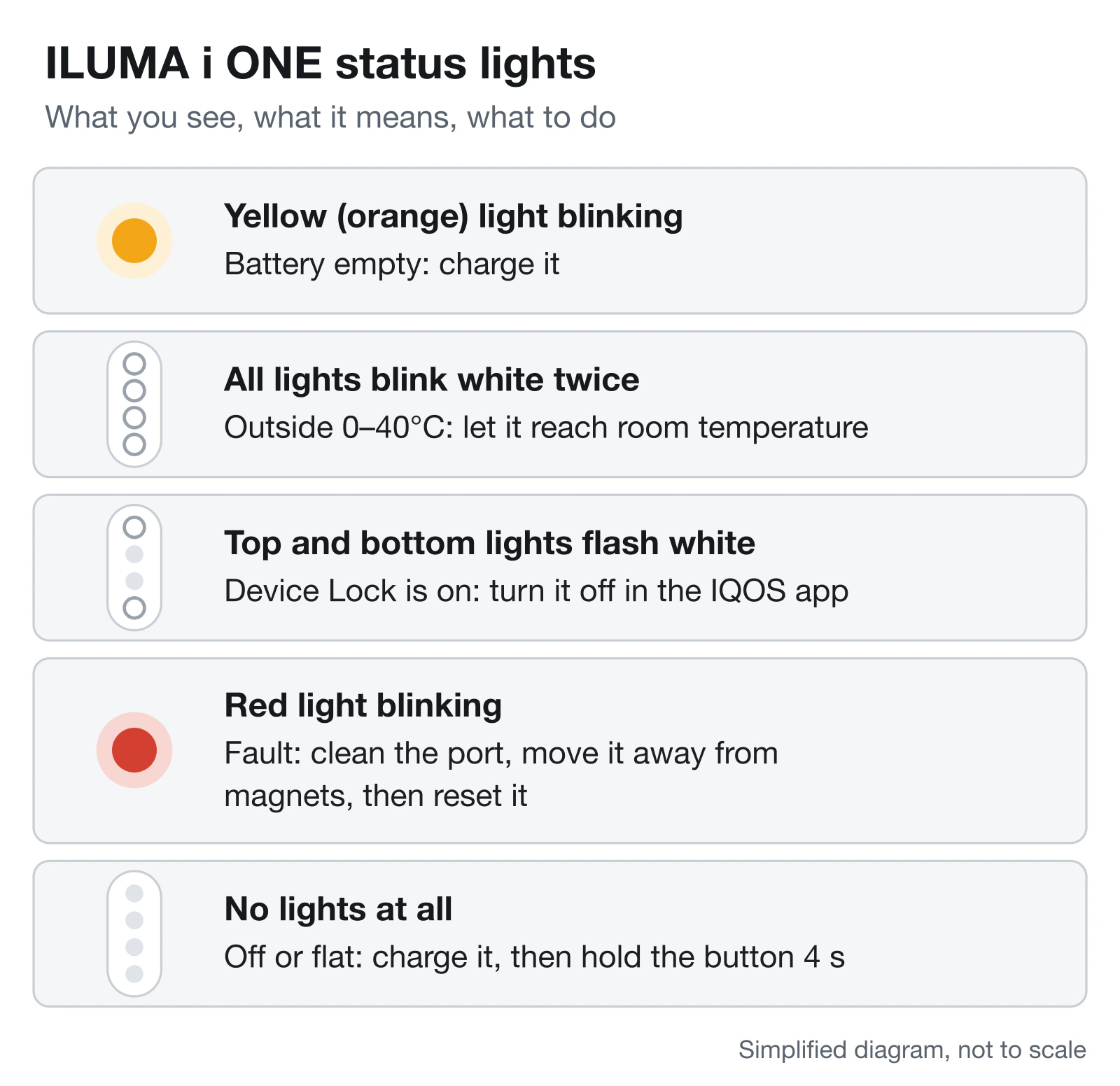
| What you see | What IQOS says it means | What to do |
|---|---|---|
| Yellow (orange) light blinking, often one LED blinking three times | Battery empty | Charge it with a compatible adaptor and cable |
| All lights blink white twice | Outside the 0–40°C operating range | Let it reach room temperature, away from heat |
| Top and bottom lights flash white | Device Lock is on | Turn off Device Lock in the IQOS app |
| Red light blinking | Fault: dirty port, wrong charger, a magnet nearby, failed update, or the device needs a reset | Clean the port, move it from magnets, then reset |
| No lights at all | Switched off or fully discharged | Charge it, then hold the button for 4 seconds to switch on |
IQOS Egypt adds that about 15 minutes of charging should turn a yellow light white, which means at least 25% charge. If you see the red light, our IQOS ILUMA reset guide gives the button timings for this model.
What do the ILUMA i and ILUMA i PRIME Touch Screen signs mean?
IQOS UAE publishes this list for the two-piece models only. The dash counts come from its ILUMA i first-steps page.
| Touch Screen sign | What it means | What to do |
|---|---|---|
| Two dashes | Up to 3 uses left in the holder | Nothing |
| One dash | Up to 2 uses left in the holder | Nothing, or recharge soon |
| "0" flashing 3 times | Holder battery is low | Put the holder in a charged Pocket Charger |
| "E" flashing 3 times | A magnet nearby, a malfunction, or a failed update | Reset the device |
| Two vertical lines, alternating sides 3 times | Outside the 0–40°C operating range | Bring it back to room temperature |
| One or two horizontal lines blinking 8 times | Battery at end of life; one or both uses lost for good | Ask IQOS for a replacement check |
| A horizontal line with a circle underneath | Device Lock is on | Turn off Device Lock in the IQOS app |
| Three horizontal lines in waves, 3 times | AutoStart is off | Turn AutoStart on in the IQOS app |
| Nothing at all | Holder off, empty, dirty contacts, or broken | Switch it on, charge it and clean the contacts |
In Eco Mode, IQOS UAE says the holder always shows one dash when fully charged. That is normal, because Eco Mode allows a single use per charge. Our guide to FlexPuff, FlexBattery and Pause Mode explains how Eco Mode and Performance Mode differ.
What do the Pocket Charger lights mean?
IQOS publishes less detail here. These are the signals it does describe for the ILUMA i and ILUMA i PRIME:
- At least one solid white light: the Pocket Charger has enough charge for at least one use.
- A holder light turns solid white: the holder has charge. IQOS UAE says to leave the holder in until at least one of the holder lights turns solid white.
- Three blinking white lights: IQOS Egypt links this to slow charging. Causes include a flat battery, the wrong power source, dirty contacts or a software problem.
- All lights off, blink twice, then on: a reset has worked.
First-generation ILUMA kits use other patterns. Our ILUMA vs ILUMA i guide explains how to tell the two generations apart.
What do the lights do during a normal session?
Some signals are part of every use. The IQOS ILUMA i user guide describes this sequence:
- Insert a TEREA stick up to the line on the filter. The device vibrates.
- Heating starts by itself (AutoStart). On the i and i PRIME, you can also swipe up on the Touch Screen.
- A second vibration means the stick is ready.
- On the i and i PRIME, the light around the Touch Screen counts down the time left. On the i ONE, the status lights show the time left.
- A vibration near the end marks the last 30 seconds or the last 2 puffs. On the i ONE, one light also pulses white.
If the device vibrates at step 1 but nothing heats, work through our checks for a TEREA stick that is not heating.
IQOS gives a full session as: Up to 6 minutes or 14 puffs, whichever comes first, including a 20-second warm-up. If yours ends well before that, our guide on why an ILUMA i stops mid-session lists the causes. If FlexPuff adds up to 4 extra puffs, IQOS says the light ring extends anticlockwise to the 9 o'clock position. If you pause on an ILUMA i or i PRIME, the ring fades out light by light while the pause counts down. Our heated tobacco glossary explains terms such as FlexPuff, Pause Mode and Eco Mode.
Which lights need a reset, and which don't?
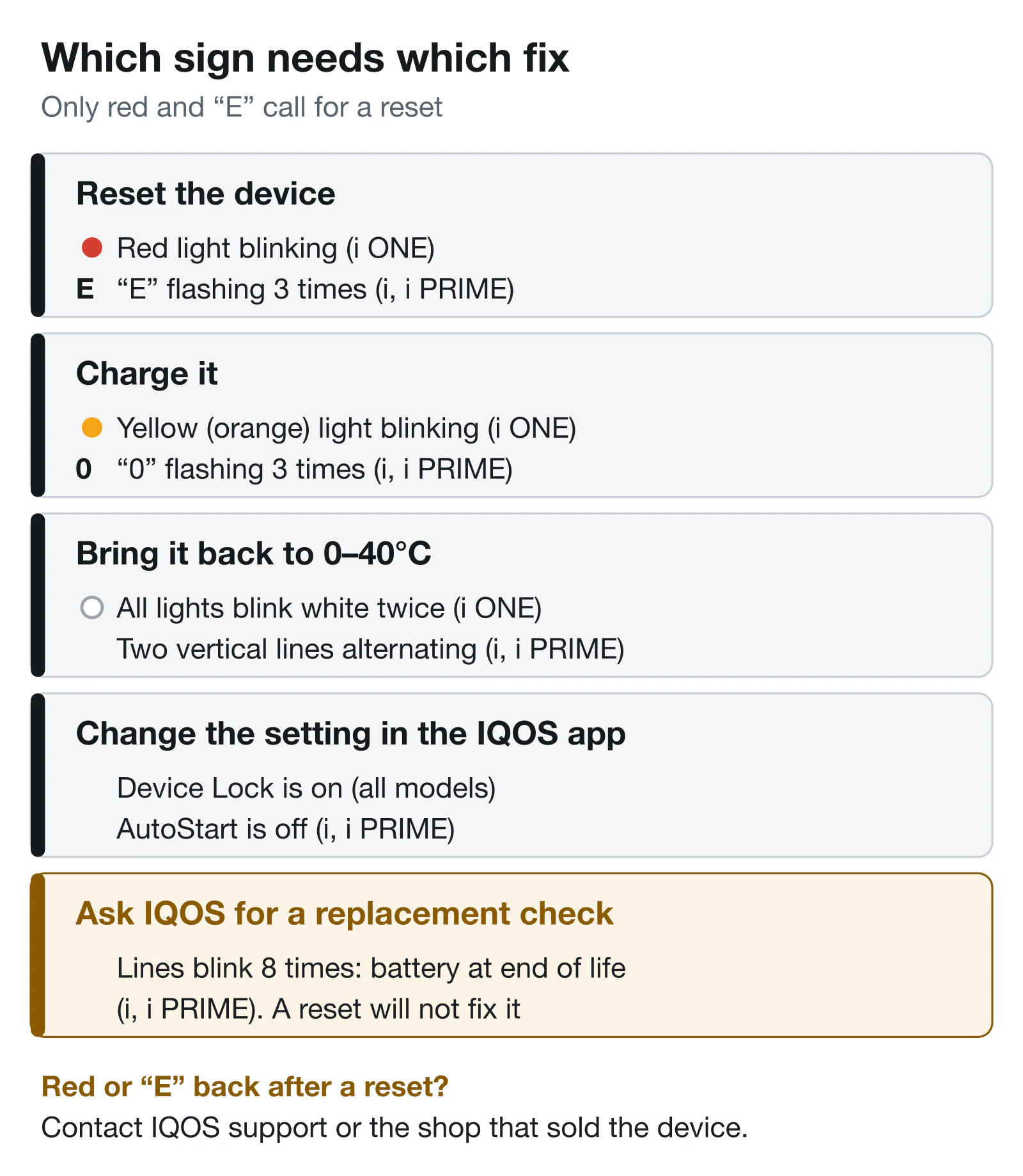
A reset helps with red blinking on the i ONE and a flashing "E" on the i or i PRIME. It will not fix the others. Battery signs need a charge, lock and AutoStart signs are app settings, and eight blinks mean battery wear. Temperature signs clear once the device is back in range. A holder left in a car in a UAE summer can easily pass 40°C, so see our guide to storing TEREA in UAE heat.
When should you contact IQOS or us?
Contact IQOS support if red blinking or "E" keeps returning after a reset, or if you see the 8-blink battery sign. IQOS UAE also offers a self-diagnosis tool on its support pages. Our guide to the IQOS ILUMA i warranty in the UAE explains registration and how to claim.
If you bought the device from us and it was faulty on arrival: Faulty, damaged or dead-on-arrival items must be reported within 24 hours. We collect them free. We have no separate store warranty. A device that is faulty on delivery is replaced or refunded if you tell us within 24 hours; after that the manufacturer's warranty terms apply. See our refund policy, or contact us with a photo or short video of the lights.
FAQ
What does a blinking red light on an IQOS ILUMA i ONE mean?
IQOS says it points to a fault. Causes include dirty charging ports, an incompatible adaptor or cable, a magnet nearby, or a failed firmware update. Clean the port, move the device away from magnets, then reset it. If the red light stays, contact IQOS.
Why does my ILUMA i show a flashing 0?
The holder battery is low. Put the holder back in the Pocket Charger and close it. Leave it there until at least one holder light on the Pocket Charger turns solid white. If the Pocket Charger is also flat, charge that first. If nothing charges, work through our fixes for an ILUMA i that is not charging.
What does E mean on an ILUMA i PRIME screen?
IQOS UAE lists three causes: a magnet near the device, a malfunction, or a firmware update that failed or was interrupted. The fix it gives is a reset. Keep the device away from magnetic cases and mounts afterwards.
Sources
- IQOS UAE: What do the Touch Screen signs indicate?
- IQOS UAE: How to use and charge IQOS ILUMA i (dashes on the Touch Screen)
- IQOS UAE: What to do if there is no 2nd consecutive experience available (Eco Mode screen)
- IQOS UAE: Troubleshooting ILUMA i, ILUMA i PRIME and ILUMA i ONE
- IQOS UK: IQOS ILUMA i user guide (PDF)
- IQOS Egypt: Meaning of IQOS ILUMA i ONE lights
- IQOS Egypt: How to charge IQOS ILUMA i PRIME (three blinking white lights)
- IQOS Malta: Get to know IQOS ILUMA i ONE and About IQOS ILUMA i
How we check these facts is set out in our editorial standards.
More guides
More troubleshooting guides · TEREA Silver information hub
Other guides
How to Reset an IQOS ILUMA i ONE, ILUMA i or ILUMA i PRIME
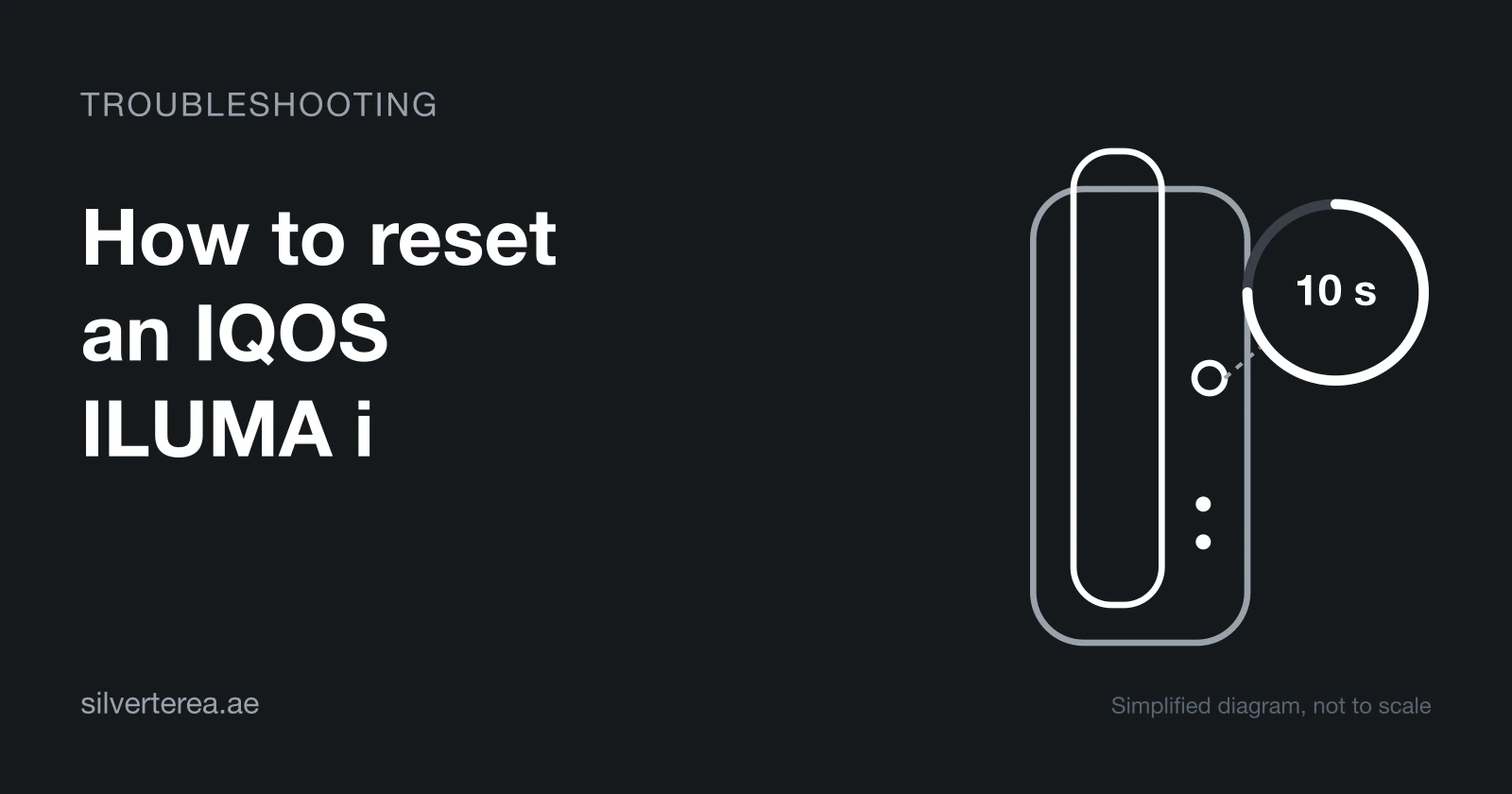
How to reset an ILUMA i ONE, ILUMA i or ILUMA i PRIME that will not heat, respond or charge, with button timings and light patterns from IQOS UAE.
How to Check Your ILUMA i Kit and TEREA Silver Are Genuine
Practical checks for an ILUMA i kit and TEREA Silver packs, before and after you buy in the UAE: serial number, IQOS registration, warranty and the FTA tax stamp.
IQOS ILUMA i Not Charging: Fixes for ILUMA i ONE, ILUMA i and ILUMA i PRIME
Why an IQOS ILUMA i ONE, ILUMA i or ILUMA i PRIME won't charge, and the fixes IQOS support gives, in order: adaptor and cable, contacts, temperature, reset and battery wear.
How to Store TEREA in UAE Heat, and Handle It Safely
Where to keep TEREA packs and cartons in the UAE summer, and the handling warnings IQOS gives about the metal part inside every stick.